
Quick answer
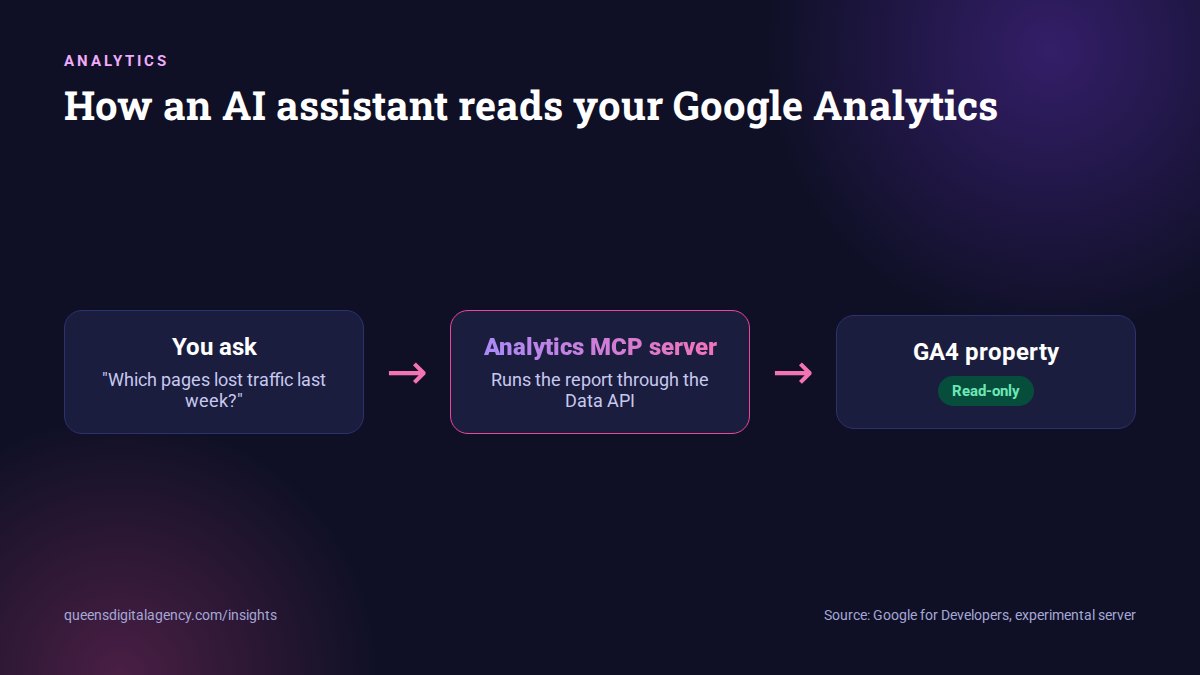
The Google Analytics MCP server is an official, experimental tool from Google that connects your GA4 data to AI assistants such as Gemini. You ask questions in plain language, like how many users you had yesterday, and the assistant runs real reports through the Google Analytics APIs. It is read-only: Google says it cannot edit your Analytics configuration or settings. Setup needs the Analytics Admin and Data APIs, read-only credentials and a supported assistant, so it suits someone comfortable with basic technical setup.
Key takeaways
- It is official, open source and labelled experimental by Google.
- It is read-only. It can run reports but cannot change any Analytics settings.
- Tools include standard, funnel and realtime reports, property details and custom dimensions.
- Setup needs a Google Cloud project, two Analytics APIs, read-only credentials and pipx.
- It is only as good as your tracking. Fix GA4 first, then add AI on top.
Most business owners have the same experience with Google Analytics. The data is there. Finding the answer takes too many clicks.
Google’s answer is the Google Analytics MCP server. In Google’s words, it “lets you connect your Analytics data to an LLM, like Gemini.”
What MCP means
MCP stands for Model Context Protocol, an open standard that lets AI assistants use outside tools and data in a controlled way. Since December 2025 it has sat under the Linux Foundation’s Agentic AI Foundation, alongside other open agent standards.
Put simply: instead of building a report, you ask a question. The assistant fetches the numbers through Google’s official APIs and explains them.
Google Analytics introduces the MCP server on its official YouTube channel. Watch on YouTube.
What can you ask it?
Google’s own examples are simple ones like “How many users did I have yesterday?” and “What were my top selling products yesterday?”
The tools behind the answers
According to the open-source project on GitHub, the server gives the assistant these tools:
- get_account_summaries and get_property_details: see which accounts and properties you can access.
- run_report: the standard reports behind most questions.
- run_funnel_report: step-by-step drop-off, such as a booking or checkout funnel.
- run_realtime_report: what is happening on the site right now.
- get_custom_dimensions_and_metrics: your own custom tracking.
- list_google_ads_links: which Google Ads accounts are connected.
Everyday questions it handles well
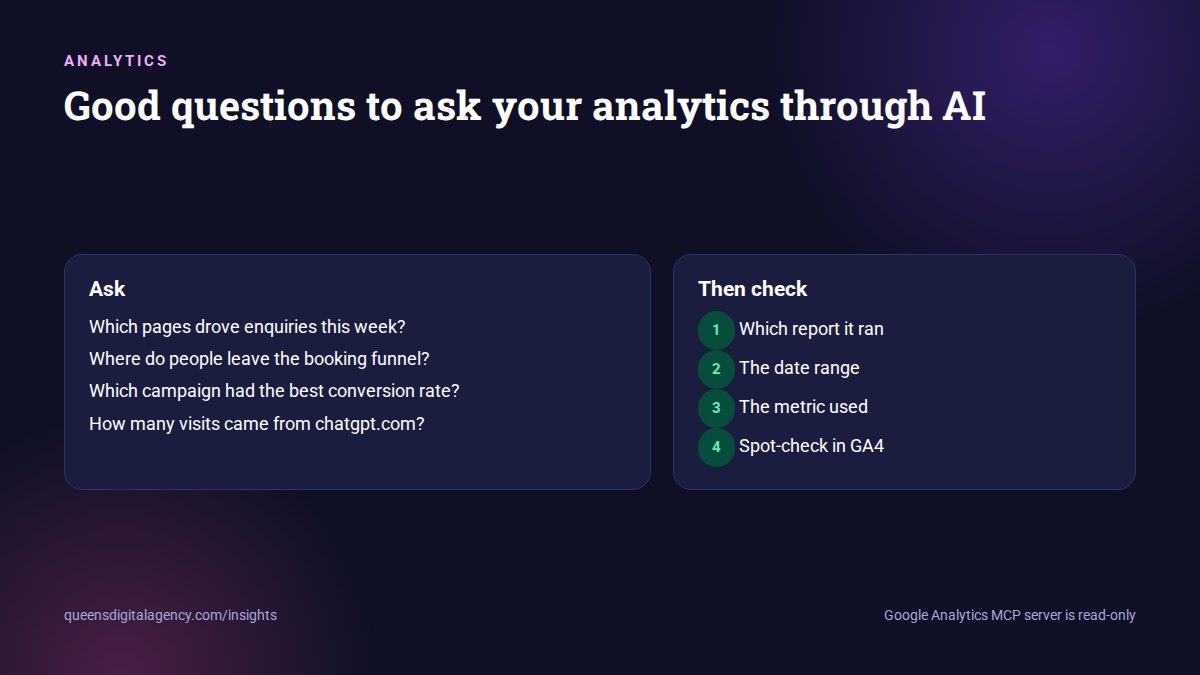
- Which pages brought the most visitors last month?
- How did traffic from Google compare with the previous month?
- Which campaign produced the most enquiries?
- Where do people drop out of the booking funnel?
- How many visits came from chatgpt.com referrals last quarter?
What can't it do?
This is the most important limit to understand.
The MCP server is available for read requests only. It can’t edit your Google Analytics configuration or settings.
 Google for Developers, Try the Google Analytics MCP server
It cannot change anything
It cannot create key events, change data retention, fix tracking, add users or edit audiences. It only reads.
That is a good thing. You can explore your data with an AI assistant without any risk to your setup.
It cannot fix bad data
If your tracking is wrong, the AI will explain wrong numbers very confidently. Missing key events, duplicate tags or broken referral data all flow straight into its answers.
It can still misread correct data
AI assistants sometimes choose the wrong metric, date range or filter. For any number you plan to act on, ask the assistant which report and dimensions it used, and spot-check it in GA4.
How do you set it up?
The setup is technical but not difficult for anyone who has used Google Cloud before. Based on the project documentation:
- Create or choose a Google Cloud project.
- Enable the Google Analytics Admin API and the Google Analytics Data API.
- Set up Application Default Credentials that include the Analytics read-only scope.
- Install pipx, a Python tool installer.
- Add the server to your AI assistant’s configuration, for example Gemini CLI’s settings file, using pipx to run analytics-mcp.
- Start asking questions about the properties those credentials can access.
Google Analytics’ official setup walkthrough. Watch on YouTube.
The project is labelled experimental, so expect changes. Check the GitHub page for the current steps before you start.
Is it safe to connect your analytics to AI?
The server itself is read-only, which removes the biggest risk. The remaining question is where your data goes.
Three checks before connecting
- Which AI assistant will receive the data, and under which account.
- What that provider’s data and training policy says for your plan.
- Whether your organisation, or your client’s contract, allows analytics data to be shared this way.
Good practice
- Use a dedicated read-only Google account or service account, not your personal admin login.
- Grant access only to the properties the assistant needs.
- Remove access when a project ends.
At Queens Digital we connect client analytics to AI assistants through MCP for reporting, and these are the rules we follow.
Where is it most useful for a small business?
In the moments when you have a question and no time to build a report.
Weekly check-ins
“What changed in traffic and enquiries this week, and which pages drove it?”
Campaign reviews
“Which source sent the most form submissions last month, and at what conversion rate?”
Content decisions
“Which blog posts lead to visits to the contact page?”
AI referral tracking
“How many sessions came from chatgpt.com or perplexity.ai this quarter?” Combine it with Search Console’s Generative AI report for the Google side.
It works best when tracking is solid. If you are not sure, our technical SEO team can check your GA4 setup first, and our conversion rate optimisation team can make sure the key events that matter are recorded.
What is coming next for AI in analytics?
Google is building AI into Analytics itself as well. ROI Revolution reported in September 2026 that Google announced Analytics AI Overviews as coming soon to GA4, alongside new benchmarking and insight features in Google Ads.
Expect two paths to exist side by side. Built-in AI summaries inside GA4 for quick answers, and MCP connections for people who want to ask their own questions from their preferred assistant, or combine Analytics with other data.
MCP is also spreading beyond Analytics. The same approach now connects AI assistants to ad platforms, search data and websites. It is part of the wider shift from AI that reads to AI that does, which we covered in our guide to llms.txt, agents.md and SKILL.md.
Google Analytics MCP server at a glance
| Question | Answer |
|---|---|
| Who makes it? | Google, as an open-source project |
| Status | Experimental |
| Can it change settings? | No, read-only |
| What does it need? | Analytics Admin and Data APIs, read-only credentials, pipx |
| Which assistants? | MCP-compatible assistants, such as Gemini CLI |
| Best for | Quick answers from existing GA4 data |
| Biggest risk | Trusting answers built on broken tracking |
Should every business use it?
Not yet.
If you already check Analytics regularly and someone on your team is comfortable with basic cloud setup, it can save real time.
If your tracking is patchy or nobody looks at analytics today, fix that first. An AI assistant cannot rescue data that was never collected properly.
As the tool matures and setup gets simpler, it will make sense for many more businesses.
Read more: ChatGPT citations crashed 90%, then came back: how to measure AI visibility calmly
What is the takeaway?
AI is becoming a practical way to question your own data, not only a way to write content.
Google’s Analytics MCP server is an early, safe step in that direction: read-only, official and useful, as long as the data underneath is right.
If you would like help with the tracking underneath, Queens Digital is a digital marketing agency in Nepal, and analytics setup is part of our SEO services in Nepal and PPC management services.
Explore More
The MCP server is available for read requests only. It can’t edit your Google Analytics configuration or settings.
Lets you connect your Analytics data to an LLM, like Gemini.
Reviewed by
K.K. Bhatta
K.K. Bhatta is a general digital marketer at Queens Digital Agency: hands-on across SEO, paid media, and whatever platform changes next. A lifelong learner rather than a one-topic specialist, he tests ideas on live campaigns before writing about them, and stays skeptical of anything that has not actually been tried.
Every claim in this article was checked against a live source before publishing.
An official, experimental Google project that lets AI assistants such as Gemini query your GA4 data in plain language using the Model Context Protocol.
No. Google says it is available for read requests only and cannot edit your Analytics configuration or settings.
A Google Cloud project with the Analytics Admin and Data APIs enabled, credentials with the Analytics read-only scope, pipx, and an MCP-compatible assistant such as Gemini CLI.
The server is read-only, but your data is shared with the assistant you connect. Check the provider’s data policy and use a dedicated read-only account.
It can report sessions GA4 already records from referrers like chatgpt.com. It cannot see AI mentions that never produce a visit.
Sources and references
Every claim above comes from the sources below, verified live before use. Accessed 25 September 2026.
- Google for Developers, Try the Google Analytics MCP server
- GitHub, googleanalytics/google-analytics-mcp
- Google Analytics, “Introducing the Google Analytics MCP Server” on YouTube
- Google Analytics, “Google Analytics MCP Setup Tutorial” on YouTube
- Model Context Protocol, official site
- Linux Foundation, Agentic AI Foundation announcement, 9 December 2025
- ROI Revolution, September 2026 SEO and GEO News Recap